Official product site
Product first
The public site now leads with the app experience and real product assets.
Builder graph
Projects, profiles, discussions, and collaboration requests sit in one place.
Early access
Early-access actions stay available behind the notification panel.
BuildersHub
BuildersHub is the mobile workspace for people building real projects. Discover active work, connect with collaborators, shape project visibility, and keep every update in one focused builder flow.
Projects searchable builder work
Collaborate request and connect
Smart tags faster project setup
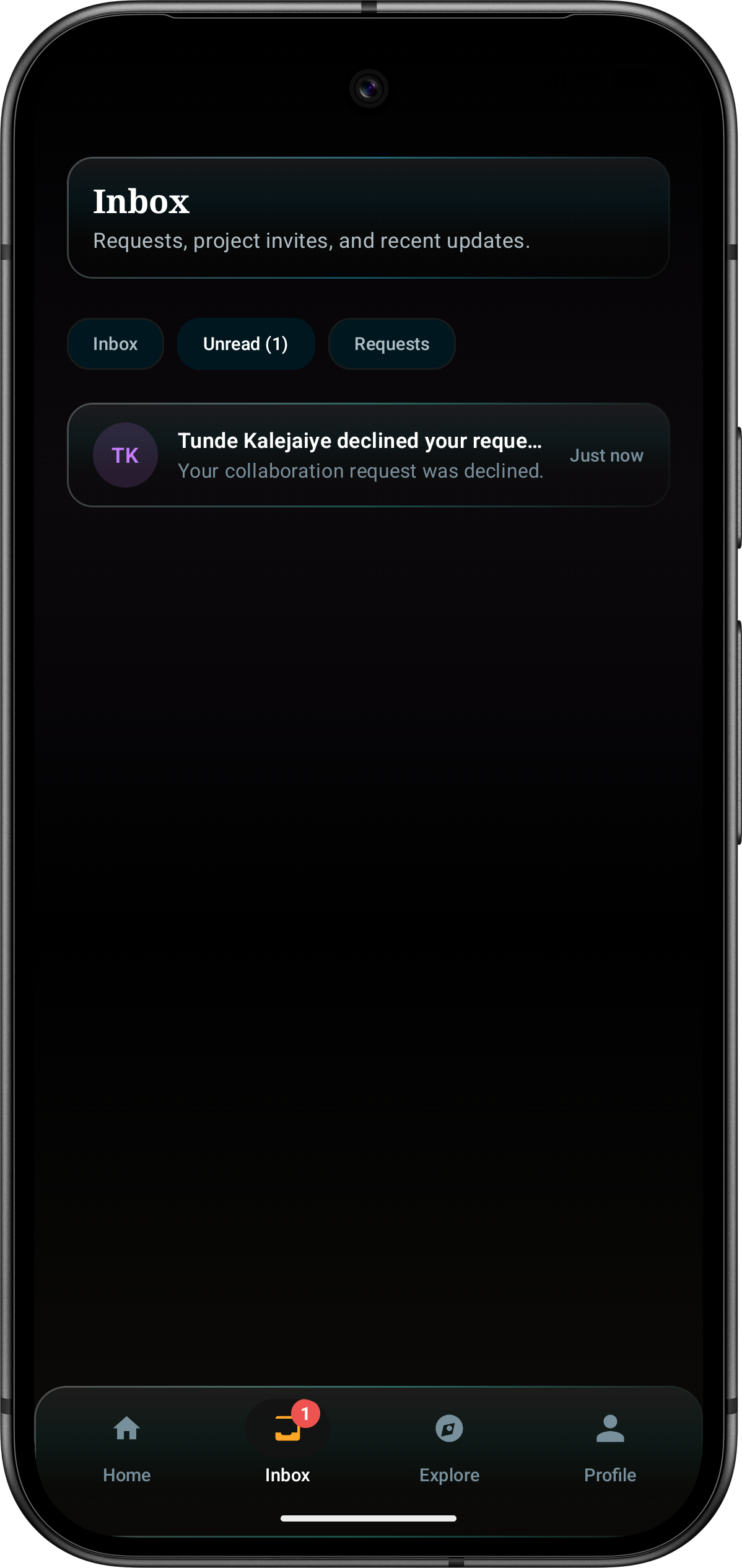
Inbox requests and updates
Start with the product experience
The site now introduces BuildersHub as an official mobile product, not a sign-up page. The first product promise is simple: create an account, find active projects, and connect around real work.
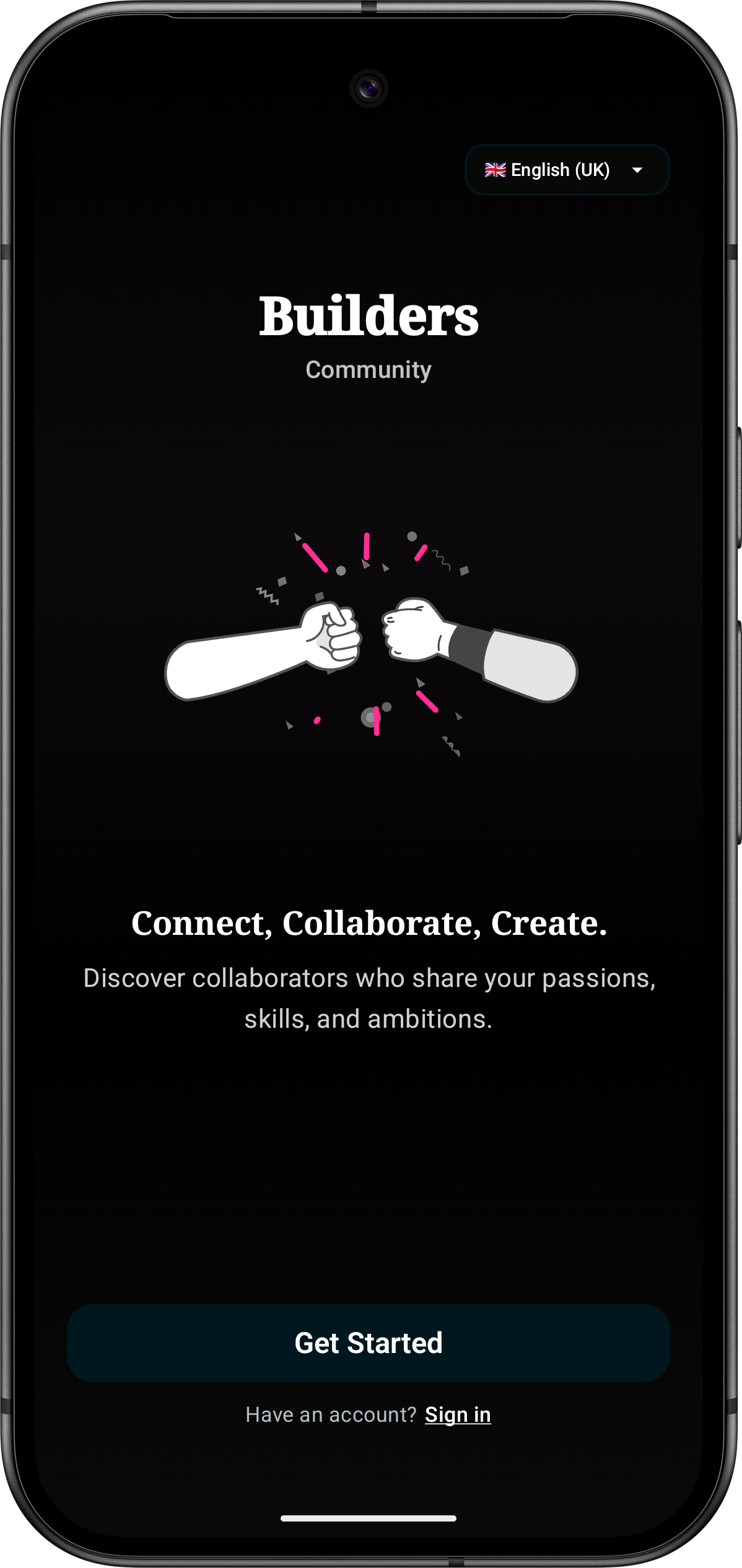
Welcome
Connect, collaborate, create
The opening screen makes the BuildersHub offer immediate: find collaborators who share your passions, skills, and ambitions.
Account
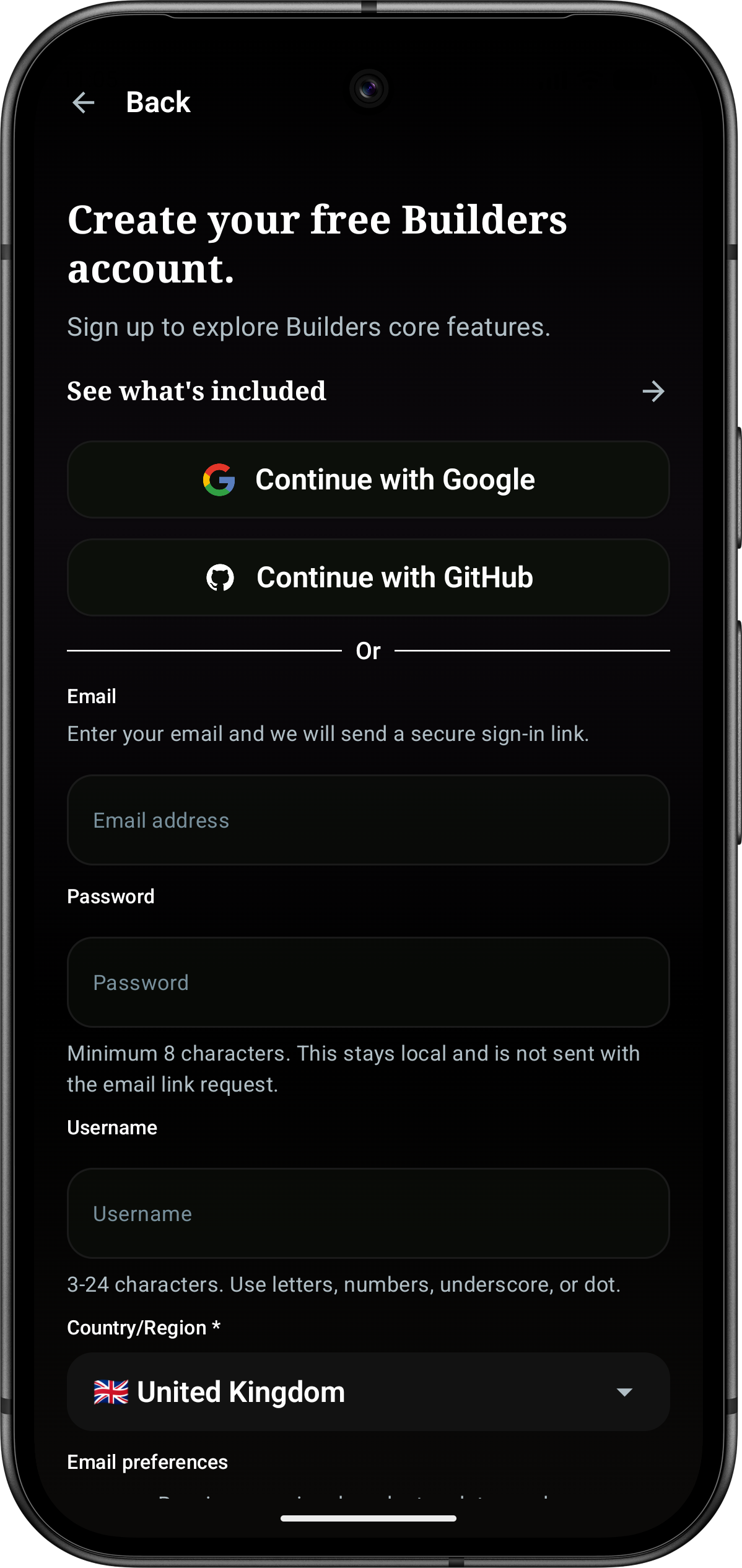
Fast account creation
Google, GitHub, email, password, username, country, and email preferences are grouped into a clear account setup path.
Lead with real app surfaces
BuildersHub should show the product before asking for feedback. Early-access forms still exist, but they now live inside the notification panel so the public site stays product-led.
- Show real mobile screens above community explanation
- Keep early-access forms off the first viewport
- Use BuildersHub copy only, with no borrowed product language
Project discovery is the core surface
BuildersHub centres on visible projects. Search, filters, status, tags, and collaboration actions make it clear what is active and how someone can join in.
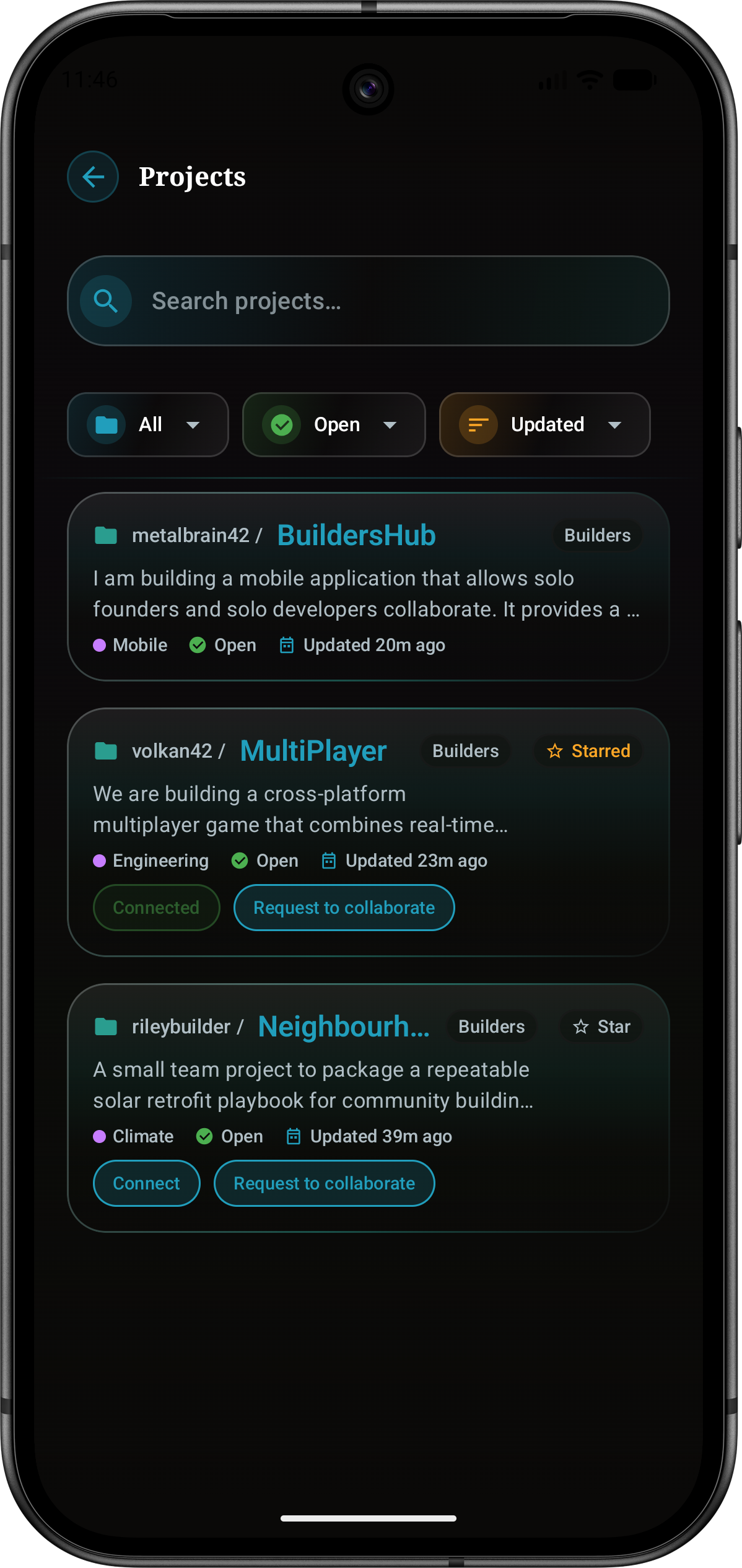
Projects
Find builders by active work
Project cards surface owner, category, status, update time, stars, connection state, and request actions without burying the product behind marketing copy.
Make the next action obvious
Builders can connect, request to collaborate, star useful projects, and return to active work through the inbox. The site should make that workflow visible before any secondary forms appear.
- Project search and filtering are visible in the product UI
- Connection and collaboration actions sit on project cards
- Recent activity is available through the inbox route
Project setup stays structured
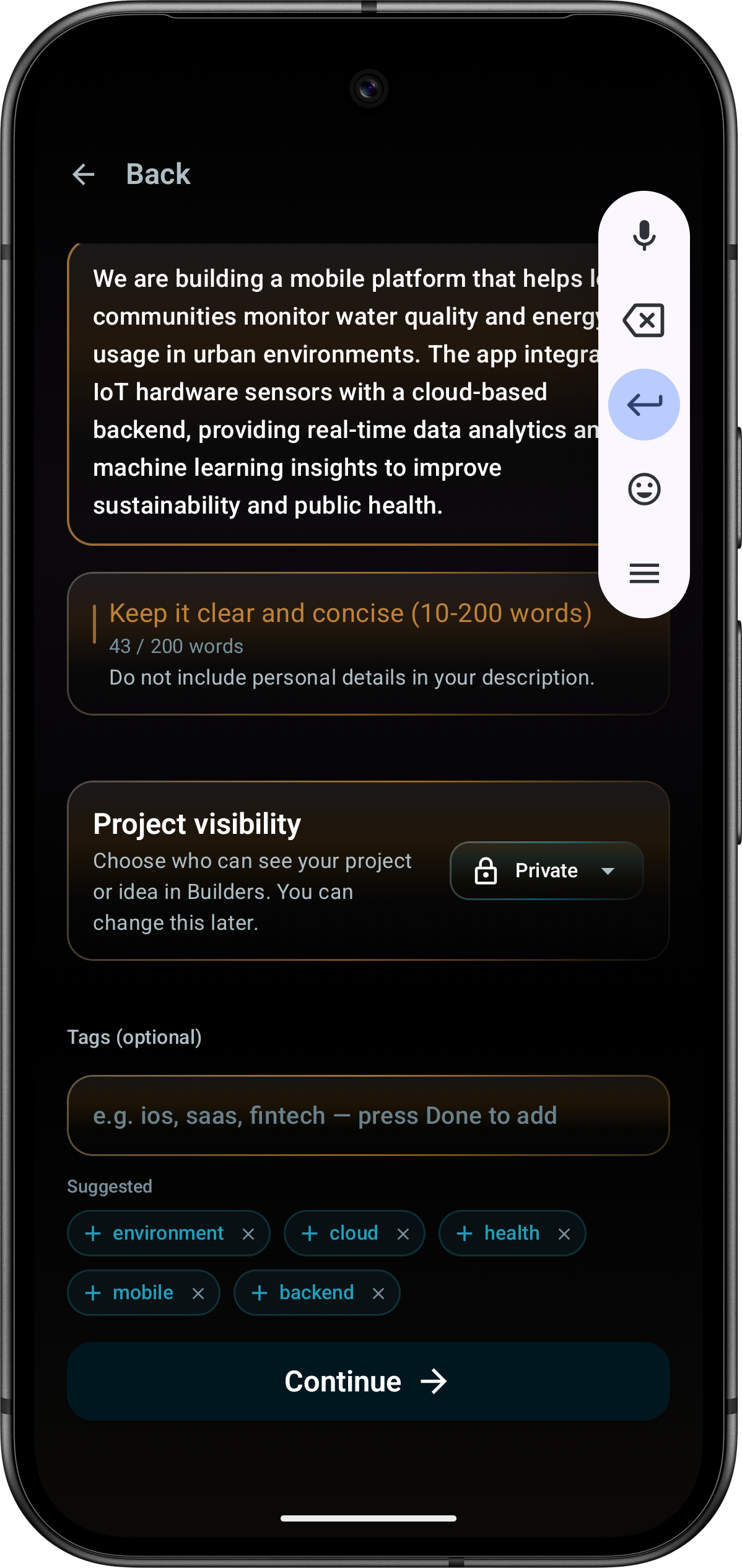
The creation flow supports description guidance, visibility settings, tags, and suggested labels so builders can publish useful project context quickly.
Clear context before collaboration
BuildersHub asks for a concise project description, lets the owner choose visibility, and suggests tags that make discovery easier.
- Project description guidance keeps listings useful
- Private and public visibility can be changed later
- Suggested tags help projects become searchable faster
Smart tags
Suggested project metadata
The setup screen combines description quality, visibility, tags, and suggested categories in one focused mobile step.
Product screens
These are the BuildersHub assets currently available for the official site. They show account setup, discovery, project detail, smart tags, home navigation, and inbox outcomes.
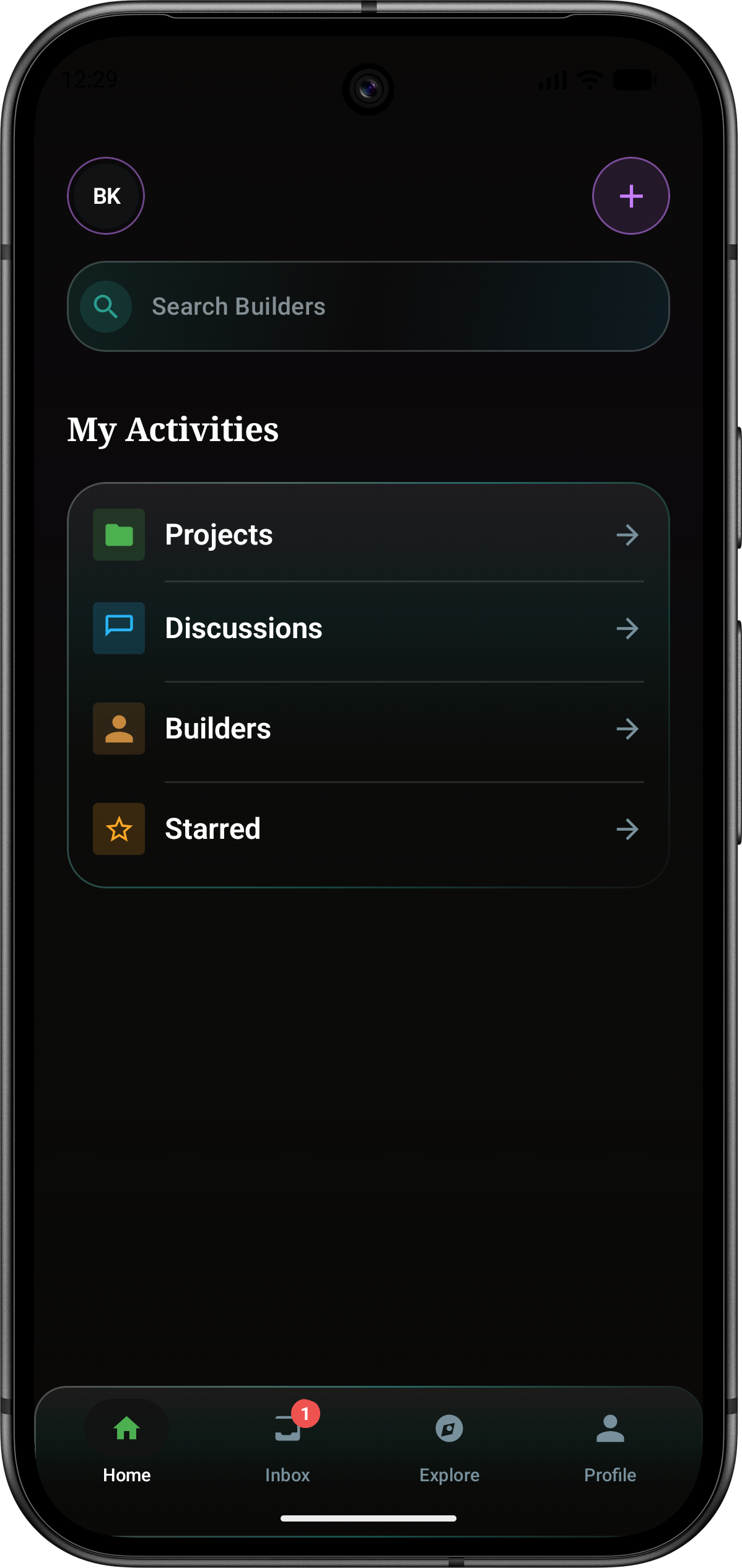
Home
Focused hub navigation
Search Builders and jump into projects, discussions, builders, starred items, inbox, explore, and profile.
Projects
Searchable project list
Filter by category, status, and recency while seeing connection and collaboration state.
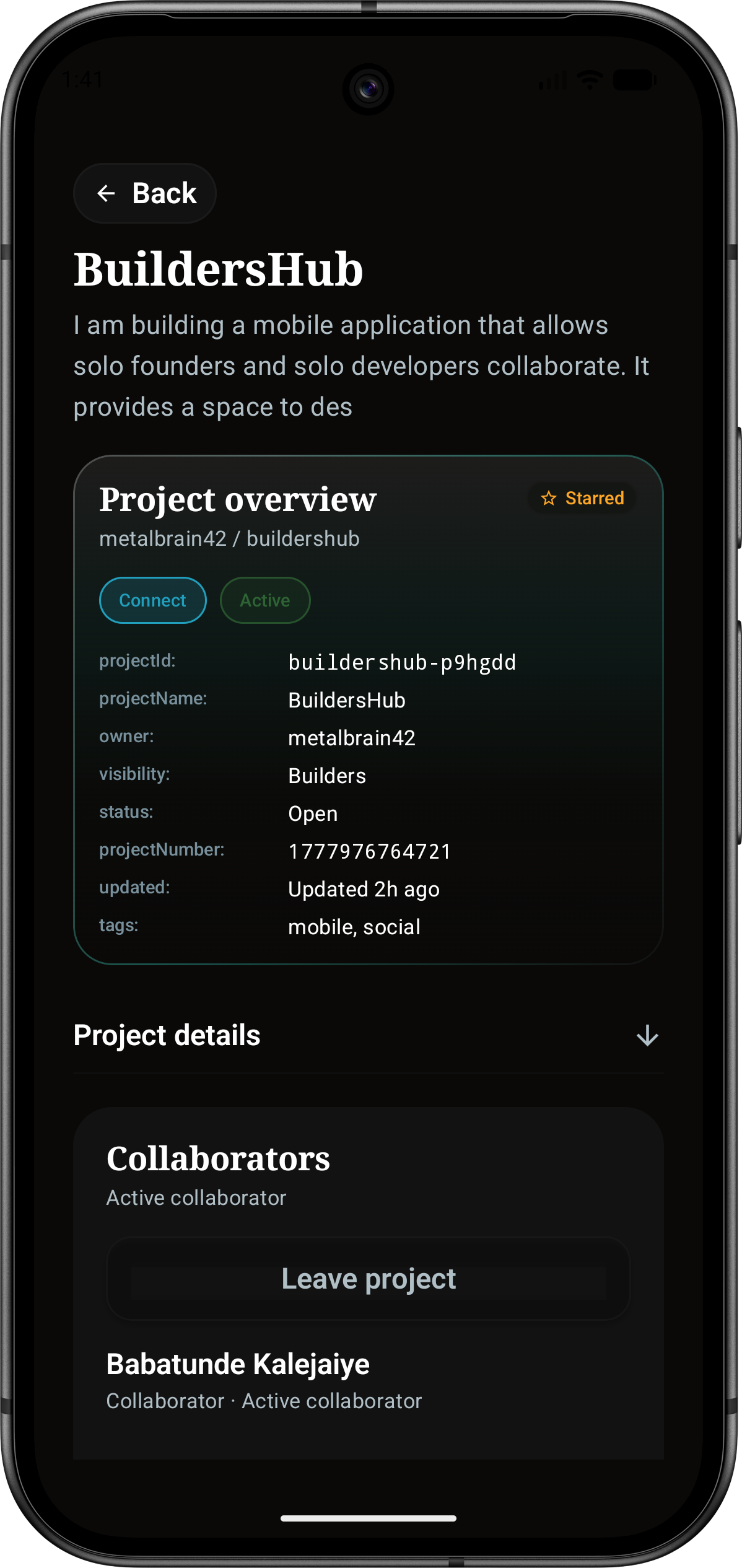
Project
Detailed project context
Show overview, owner, visibility, status, project number, tags, and active collaborators.
Setup
Smart project setup
Guide the builder through project description, privacy, tags, suggestions, and continue action.
Account
Quick onboarding
Present the product, region selector, Get Started action, and sign-in route cleanly.
Inbox
Visible request outcomes
Show requests, project invites, recent updates, unread state, and collaboration outcomes.
Official site focus
BuildersHub now has a public site that introduces the product, shows real mobile screens, and keeps early-access collection behind a notification flow.
Projects come first
The first page impression is now the BuildersHub product and project discovery experience.
Open project sectionRequests are visible
Connection state, collaboration requests, starred projects, and inbox outcomes are part of the public story.
View screenshotsLaunch access stays available
The early-access forms are preserved in a notification panel instead of leading the page.
Current product scope
The official site should stay direct: show the app, explain the core routes, and point people to safety, privacy, terms, and early access when they need them.
Active surfaces
- Searchable projects and builder discovery
- Project detail pages with owner, status, visibility, and tags
- Connection, star, and collaboration request actions
- Inbox updates for requests, invites, and recent activity
- Smart tag suggestions during project setup
Public site rules
- Use product screenshots instead of placeholder cards
- Do not lead with early-access forms
- Keep legal and safety routes reachable from navigation and footer
- Keep borrowed product claims out of this site
- Use the notification panel for early-access capture
Get notified when BuildersHub opens.
Open the notification panel for launch updates. The public page stays focused on the product experience.